Keyboard Shortcut (page 4)
390 posts, newest first. Page 4 of 11. Looking for one key? See the keyboard shortcut reference.
-

How to Use the Control-3 Keyboard Shortcut in Final Cut Pro to Apply Keyword Tag 3
If you’re an editor working with Final Cut Pro, you know that keeping your footage organized is key to a smooth editing process. One powerful tool for…
-
Mastering Final Cut Pro: How to Use the Option-Shift-S Keyboard Shortcut for Timeline Scrolling
In Final Cut Pro, Option-Shift-S toggles Timeline Scrolling . Apple describes it as toggling continuous scrolling for the timeline during playback. With…
-

Mastering Final Cut Pro: The Power of Control-K to Stop Text Edits Quickly
When you're editing in Final Cut Pro , speed and efficiency are key. As a video editor, you often work with a variety of elements, from clips and…
-

Mastering Audio Enhancement in Final Cut Pro: The Power of Option-Command-A
When it comes to editing video in Final Cut Pro , getting the audio just right can make or break your project. Whether you're working with crisp studio…
-
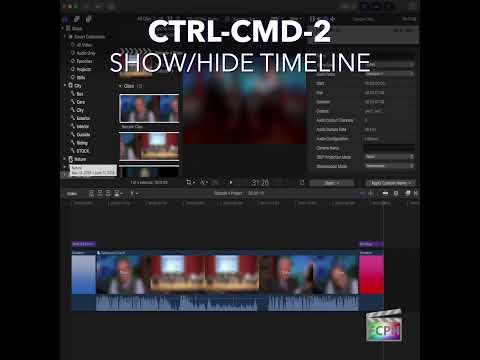
Mastering Final Cut Pro’s Timeline Visibility with Control-Command-2
As editors, efficiency is key. Whether you're fine-tuning your clips, adjusting settings in the Inspector, or just navigating your workspace, every second…
-

Mastering Audio Precision in Final Cut Pro: How to Nudge Audio Subframe Right
When editing audio in Final Cut Pro , precision is key—especially when you're working with separate audio and video tracks or need to synchronize sound…
-

How to Use the Option-Shift-V Keyboard Shortcut to Paste Keyframes in Final Cut Pro
When editing in Final Cut Pro , efficiency is key. Whether you're working on a complex project or just trying to speed up your workflow, learning keyboard…
-

How to Use the Control-Command-W Keyboard Shortcut in Final Cut Pro to Show the Video Waveform
Your eyes can be fooled by a bright screen or a dark room, but a video scope can't. In Final Cut Pro, Control-Command-W runs Show Video Waveform : it…
-
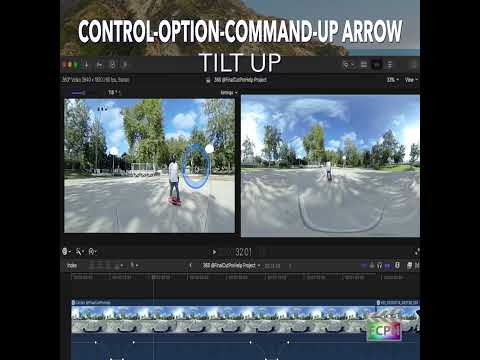
Mastering the Control-Option-Command-Up Arrow Shortcut for 360° Video Editing in Final Cut Pro
Final Cut Pro is one of the most powerful video editing tools available, offering a vast array of features for editors working with both standard and…
-

How to Use the Control-Option-E Shortcut to Apply Effects Roles in Final Cut Pro
Roles are Final Cut Pro's way of labeling what's in your project, and the three standard audio roles are Dialogue, Music and Effects. Control-Option-E…
-

Boost Your Editing Efficiency in Final Cut Pro with the Control-9 Keyword Shortcut
As editors, staying organized while navigating large projects is essential. Whether you're working with hours of footage or complex timelines, keeping…
-

Mastering the "Reject Selection" in Final Cut Pro: A Time-Saving Edit Shortcut
Final Cut Pro is packed with powerful tools that allow editors to work faster and more efficiently. One such tool that may not be as well-known, but can…
-

Mastering the Option-Command-W Shortcut in Final Cut Pro: Inserting the Default Generator
When you’re building a rough cut, you don’t always have every shot yet. Option-Command-W is Insert Default Generator : it inserts the default generator at…
-

How the Shift-Command-, (Comma) Shortcut Shows Fewer Filmstrip Frames in Final Cut Pro
In Final Cut Pro, Shift-Command-, (Comma) runs Show Fewer Filmstrip Frames . It shows fewer filmstrip frames in Browser clips. Each clip's filmstrip is…
-

Mastering Final Cut Pro: How to Use the Control-7 Keyboard Shortcut to Apply Keyword Tags
When you're editing video in Final Cut Pro, one of the most effective ways to stay organized is by using keyword tags . These allow you to quickly…
-
How to Use the Control-Option-Command-7 Shortcut in Final Cut Pro for Stereoscopic 3D Editing
If you’re an editor working with stereoscopic 3D footage in Final Cut Pro, you know that getting the 3D effect just right can be a complex and precise…
-
How to Use the "Paste Timecode" Shortcut in Final Cut Pro: A Must-Know for Editors
If you're an editor working with Final Cut Pro , efficiency is key. Whether you're syncing clips, adjusting the timeline, or fine-tuning edits, having…
-

How to Use the Control-Command-E Shortcut in Final Cut Pro to Adjust Exposure
Final Cut Pro is a powerful tool for video editors, offering a wide range of features for color grading, correction, and creative enhancement. One of the…
-

How to Use the Command-Q Shortcut in Final Cut Pro: A Guide for Editors
Final Cut Pro is a powerful and complex tool for video editors, and mastering the keyboard shortcuts can make your workflow faster and more efficient. One…
-

Mastering the Control-] (Select Right Video Edge) Shortcut in Final Cut Pro
Split edits, where picture and sound change at different moments, make dialogue scenes feel smooth and natural. In Final Cut Pro, Control-] (Control-Right…
-

How to Use the Control-Option-Command-0 Shortcut to Reset the 360° Viewer in Final Cut Pro
When you work with 360° video in Final Cut Pro, the 360° Viewer lets you look around the sphere as if you were wearing a headset. After a lot of panning…
-

How to Use the Vectorscope in Final Cut Pro: A Guide for Editors
If you're an editor working in Final Cut Pro , you know how crucial it is to get your color grading and correction just right. One of the best tools in…
-

How to Use the Option-Command-V Shortcut to Paste Effects in Final Cut Pro
When you're editing video in Final Cut Pro , efficiency is key. Applying the same effects to multiple clips can be time-consuming if done manually…
-

Using the Option-Up Arrow Shortcut in Final Cut Pro to Move a Selection Up
Option-Up Arrow runs the Final Cut Pro command Move Up . Final Cut Pro describes it in one line: it moves the selection up by one unit. It's a precise…
-

Mastering Audio Skimming in Final Cut Pro with the Shift-S Shortcut
Final Cut Pro is a powerful tool for video editors, offering a wide array of features that streamline the editing process. One of the most useful yet…
-

How to Use the Shift-X Keyboard Shortcut to Extend Edits in Final Cut Pro
In Final Cut Pro, Shift-X runs Extend Edit . It moves the selected edit point to the position of the skimmer or playhead. You select an edit point first…
-

Mastering Audio Edits in Final Cut Pro: The Power of the Shift-] Keyboard Shortcut
Final Cut Pro is a powerful video editing tool that offers a wide range of features to streamline your workflow. One of the more useful, yet often…
-

Mastering the Command-Left Arrow Shortcut in Final Cut Pro: A Time-Saving Tip for Editors
When it comes to video editing, efficiency is key. Whether you're trimming clips, adjusting audio levels, or refining transitions, minimizing the time…
-

The Tab Key in Final Cut Pro: Not a Default Shortcut (and How to Assign One)
You might expect the Tab key to jump between the Timeline, Viewer, Inspector and Browser in Final Cut Pro. It doesn't. In Final Cut Pro's default command…
-

How to Use the Shift-? (Question Mark) Keyboard Shortcut in Final Cut Pro for Efficient Editing
Shift-? (Question Mark) runs the Final Cut Pro command Play Around . It plays around the playhead position: playback starts a little before the playhead…
-

Speed Up Your Final Cut Pro Editing with the Control-Command-Right Arrow Shortcut
When editing in Final Cut Pro , every second counts. Whether you're trimming clips, applying effects, or adjusting a sequence, efficiency is key. One…
-

Mastering the Command-R Shortcut in Final Cut Pro: Speed Up Your Edits with the Retime Editor
Final Cut Pro is packed with powerful features to help editors create professional, polished content. One of the most useful tools in your editing toolkit…
-
How to Use the Control-Option-Command-5 Shortcut in Final Cut Pro for Stereoscopic 3D Editing
Final Cut Pro is a powerful tool for video editors, especially those working with 3D content. One of the key features for editing stereoscopic 3D footage…
-

Mastering 360° Video Editing in Final Cut Pro: Tilt the Viewer Down with This Keyboard Shortcut
If you’re working with 360° video in Final Cut Pro , you know that navigating through the spherical footage can be tricky. You want to make sure every…
-

Boost Your Editing Speed with the Shift-Down Arrow Shortcut in the Final Cut Pro Browser
When you’re organizing footage, you often want to grab a run of clips and do the same thing to all of them. In Final Cut Pro, Shift-Down Arrow is Extend…
-

How to Use the Shift-Command-Y Shortcut in Final Cut Pro: Audition Duplicate from Original
In Final Cut Pro, Shift-Command-Y runs Audition: Duplicate from Original . It duplicates the selected audition clip without the effects that have been…