Keyboard Shortcut (page 7)
390 posts, newest first. Page 7 of 11. Looking for one key? See the keyboard shortcut reference.
-
How to Use the Option-Command-O Shortcut for Color Adjustment in Final Cut Pro
If you're an editor working with Final Cut Pro, you know how crucial color correction is to achieving the perfect look for your project. Whether you're…
-

Mastering the Space Bar Keyboard Shortcut in Final Cut Pro
In the fast-paced world of video editing, efficiency is key. Whether you're cutting together a high-stakes commercial or editing a YouTube vlog, being…
-
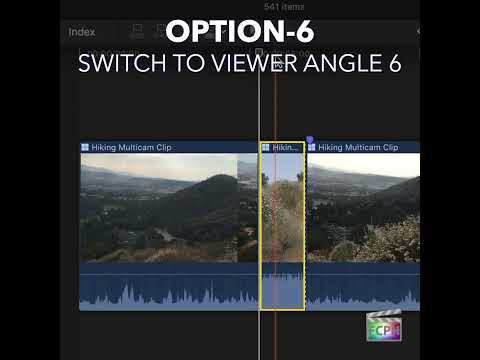
Streamlining Multicam Edits in Final Cut Pro with the Cut & Switch to Viewer Angle 6 Shortcut
When working with Final Cut Pro and multiple camera angles, editing becomes much more efficient when you can quickly switch between different footage…
-
How to Use the Shift-Command-1 Shortcut in Final Cut Pro to Boost Your Editing Efficiency
Final Cut Pro doesn't just show the media you've imported into your library. It can also browse your Photos library, your music and sound effects right in…
-

Toggle Storyline Mode with the G Shortcut in Final Cut Pro
In Final Cut Pro, pressing G toggles Storyline Mode . Apple describes it simply: it toggles the ability to build storylines when dragging clips in the…
-
How to Use the Control-Option-Command-O Keyboard Shortcut for Light and Color Enhancement in Final Cut Pro
Sometimes footage just looks a little flat: a bit dark, a bit dull, colors not quite right. In Final Cut Pro, Control-Option-Command-O runs Add Light and…
-
How to Use the Control-Option-Command-6 Shortcut for Stereoscopic Superimposed View in Final Cut Pro
If you're an editor working with stereoscopic 3D footage in Final Cut Pro, having the right tools and shortcuts at your fingertips can make a huge…
-

How to Use the Option-Command-1 Shortcut in Final Cut Pro to Access Titles & Generators
Final Cut Pro is packed with powerful tools and shortcuts designed to speed up your editing process and enhance your workflow. One of the most useful…
-
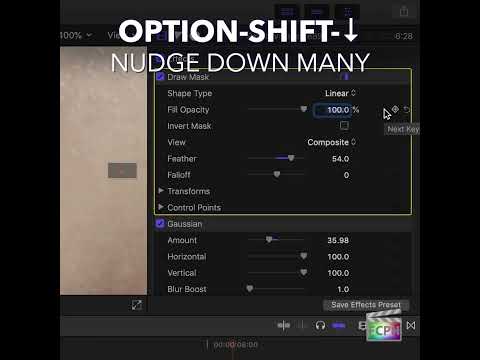
Mastering the Option-Shift-Down Arrow Shortcut in Final Cut Pro: Move Down by 10
Small, precise moves are a big part of polishing an edit. Sometimes, though, a tiny nudge is too small and you need to move something farther without…
-

How to Use the Option-; (Semicolon) Keyboard Shortcut for Editing in Final Cut Pro
Final Cut Pro is a powerful editing software used by professionals and enthusiasts alike. One of the key features that gives editors precise control over…
-

Streamlining Your Workflow in Final Cut Pro: How to Use the Option-Command-N Shortcut for Smart Collections
As a video editor, managing large volumes of media can quickly become overwhelming. Whether you're working on a feature film, documentary, or commercial…
-

How to Use the "Shift-F" Shortcut in Final Cut Pro to Reveal Clips in the Browser
As an editor in Final Cut Pro , you're likely juggling a lot of clips, effects, and edits all at once. One moment, you're trimming footage in the Timeline…
-

How to Use the Command-O Shortcut in Final Cut Pro: A Quick Guide for Editors
If you're an editor using Final Cut Pro , you know that efficiency is key when it comes to managing complex projects. One of the simplest, yet most…
-

How to Use the Option-S Keyboard Shortcut to Solo a Selection in Final Cut Pro
When editing in Final Cut Pro , audio management is crucial for ensuring your project sounds just as good as it looks. One helpful feature that many…
-

How to Use the Control-5 Keyboard Shortcut in Final Cut Pro for Efficient Keyword Tagging
Final Cut Pro is a powerful tool for video editors, offering a wide range of features designed to streamline the editing process. One of the most useful…
-

Mastering the Control-\ Keyboard Shortcut in Final Cut Pro: Roll Just the Video Edit
When you're building split edits, you often want to move the picture cut without touching the sound. Control-\ (Control-Backslash) selects exactly the…
-

How to Use the Control-Option-Command-= (Equals) Keyboard Shortcut to Decrease Field of View in the 360° Viewer
Control-Option-Command-= (Equals) runs the Final Cut Pro command Decrease Field of View . It narrows the field of view in the 360° Viewer . That means it…
-

How to Use the Control-Option-6 Keyboard Shortcut in Final Cut Pro: Show Clip Labels Only
In Final Cut Pro, Control-Option-6 runs Clip Appearance: Clip Labels Only . It changes how clips look in the timeline so they show only their labels, with…
-

Unlock the Power of Large Waveforms in Final Cut Pro with the Control-Option-2 Shortcut
When it comes to editing in Final Cut Pro , precision is key—especially when working with audio. Whether you're fine-tuning voiceovers, syncing sound…
-

How to Use the Control-J Keyboard Shortcut to Play in Reverse in Final Cut Pro
Most editors know J plays backward in Final Cut Pro. Control-J is also assigned to Play Reverse in the default command set, so it runs the same command…
-
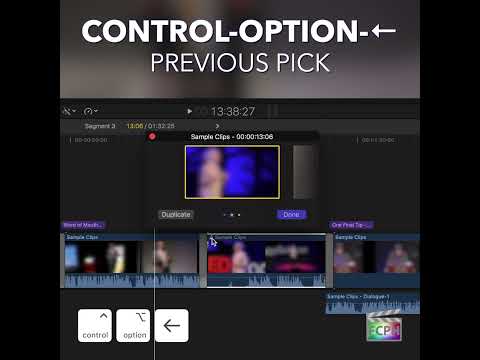
Mastering the Control-Option-Left Arrow Shortcut in Final Cut Pro for Auditions
Auditions are one of the best ways to compare takes in Final Cut Pro without cluttering your timeline. Control-Option-Left Arrow is the Previous Pick…
-

Mastering Audio Editing in Final Cut Pro: The Power of the Control-Option-S Shortcut
When it comes to editing audio in Final Cut Pro , managing multiple audio components efficiently is key to a smooth and streamlined workflow. If you've…
-

Mastering Final Cut Pro: How to Use the Shift-Command-F Shortcut for Full Screen Editing
When it comes to video editing, every tool in your software has a specific purpose, and the Shift-Command-F keyboard shortcut in Final Cut Pro is one that…
-

Unlock Efficient Editing with Final Cut Pro’s Control-; (Semicolon) Shortcut: Navigate to Previous Marker Like a Pro
If you’re an editor working with Final Cut Pro, you know how crucial it is to navigate your timeline quickly and accurately. One of the hidden gems in…
-

Mastering the ` (Grave Accent) Shortcut in Final Cut Pro: Override Clip Connections Like a Pro
If you've ever tried to adjust clips in the Primary Storyline in Final Cut Pro, only to have connected clips (like titles, audio, or graphics) shift…
-
How to Use the Option-Shift-Command-C Shortcut to Consolidate Motion Content in Final Cut Pro
If you use custom titles, effects, transitions, or generators built in Motion, those templates live outside your library. That's fine on your own Mac, but…
-

How to Use the Control-Option-Down Arrow Shortcut to Decrease Waveform Size in Final Cut Pro
When you're working with audio in Final Cut Pro , it’s essential to have the right tools to manage both video and audio elements efficiently. One helpful…
-
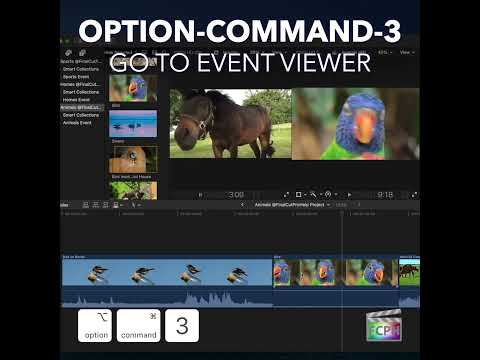
Mastering Final Cut Pro: How to Use the Command-3 Shortcut to Speed Up Your Workflow
As a Final Cut Pro editor, efficiency is key. One of the simplest ways to streamline your workflow is by mastering keyboard shortcuts. Among these…
-

Mastering the Shift-Command-Z Shortcut in Final Cut Pro: A Simple Guide for Editors
If you're an editor working with Final Cut Pro , you know how quickly things can change in the editing process. You might experiment with different cuts…
-

Mastering the "Select Next Audition Pick" Shortcut in Final Cut Pro
If you're an editor working with Final Cut Pro , you’ve probably heard of the Auditions feature — a powerful tool that allows you to experiment with…
-

How to Use the Control-Option-D Shortcut to Apply Dialogue Role in Final Cut Pro
Final Cut Pro is a powerful video editing tool used by professionals and hobbyists alike. One of its key features is the ability to organize and manage…
-

Boost Your Editing Speed in Final Cut Pro with the ' (Apostrophe) Shortcut
As an editor, working efficiently in Final Cut Pro is key to speeding up your workflow, especially when dealing with long sequences or intricate edits…
-
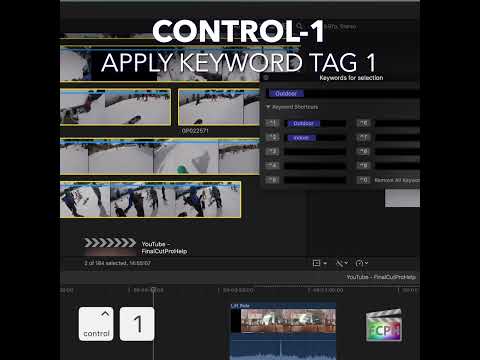
Mastering the Control-1 Keyboard Shortcut in Final Cut Pro for Efficient Editing
Final Cut Pro is a powerful video editing tool, and one of its standout features is its ability to help editors stay organized—especially when dealing…
-
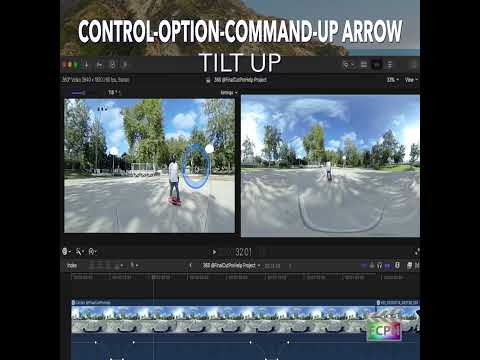
Boost Your Editing Speed with the Command-Up Arrow Shortcut in Final Cut Pro
If you're an editor using Final Cut Pro , you know that working efficiently with a complex timeline is crucial to speeding up your workflow. Whether…
-

How to Use the Control-Option-4 Keyboard Shortcut in Final Cut Pro to Enhance Your Editing Workflow
When you're working with Final Cut Pro , efficiency is key. One tool that can help streamline your editing process is the Large Filmstrip view, accessible…
-

Mastering Frame-by-Frame Editing in Final Cut Pro: The Power of the . (Period) Keyboard Shortcut
If you’re an editor working in Final Cut Pro , you’re likely aware that the finer details of timing can make all the difference in the quality of your…