Keyboard Shortcut (page 9)
390 posts, newest first. Page 9 of 11. Looking for one key? See the keyboard shortcut reference.
-

How the Option-Command-K Shortcut Opens the Command Editor in Final Cut Pro
Option-Command-K runs the Final Cut Pro command Keyboard Customization , which opens the Command Editor . This is where you can see every keyboard…
-
Control-Option-Command-] in Final Cut Pro: Roll the 360° Viewer Clockwise
The Control-Option-Command-] (Right Bracket) shortcut in Final Cut Pro is Roll Clockwise . It rolls the view clockwise in the 360° Viewer . It has nothing…
-
Mastering 3D Editing in Final Cut Pro: View Both Eyes with One Shortcut
If you're editing stereoscopic 3D content in Final Cut Pro , getting the stereo effect just right is critical. One tool in your editing toolkit that can…
-
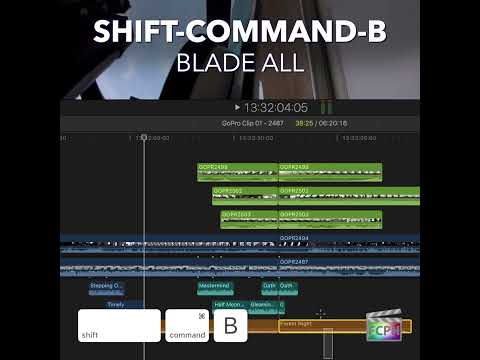
How to Use the "Blade All" Shortcut in Final Cut Pro: A Time-Saving Editing Tip
As a Final Cut Pro editor, you’re likely familiar with the need to make precise cuts in your footage. Whether you’re working on a simple sequence or a…
-

Mastering the End Keyboard Shortcut in Final Cut Pro: A Time-Saving Trick for Editors
In the fast-paced world of video editing, efficiency is key. Navigating through a large project quickly and accurately is essential for meeting tight…
-

Mastering the Control-Command-Left Arrow Shortcut in Final Cut Pro
As an editor, speed and efficiency are key to delivering high-quality results in a timely manner. Final Cut Pro offers a wide range of keyboard shortcuts…
-

Mastering the Command-A Shortcut in Final Cut Pro: Select All in a Snap
As a video editor, speed and efficiency are essential to your workflow. Whether you're cutting footage, adjusting clips, or applying effects, minimizing…
-
Mastering the Control-Shift-O Shortcut in Final Cut Pro: Navigating Range Selections Like a Pro
As a Final Cut Pro editor, speed and efficiency are key to maintaining a smooth workflow, especially when dealing with complex timelines and intricate…
-

How to Use the Control-Option-1 Keyboard Shortcut in Final Cut Pro for Audio Waveform Editing
When you're editing video in Final Cut Pro , sometimes you need to focus purely on the audio without the distraction of video clips. Whether you're…
-

How to Use the Option-Delete Keyboard Shortcut in Final Cut Pro to Reset Color Correction Controls
In Final Cut Pro, Option-Delete runs the command Color Correction: Reset Current Effect Pane . It resets the controls in the current color correction…
-

Mastering Final Cut Pro: How to Use the Down Arrow Keyboard Shortcut to Speed Up Your Editing Workflow
When you're editing a video project in Final Cut Pro , time is of the essence. Whether you're cutting together clips, fine-tuning transitions, or…
-

Mastering the Blade Tool in Final Cut Pro: A Quick Guide
Whether you're a seasoned video editor or just starting with Final Cut Pro, mastering the Blade Tool can significantly streamline your editing workflow…
-

Mastering Snapping in Final Cut Pro with the N Keyboard Shortcut
Editing in Final Cut Pro can be a fast-paced, precise task that demands accuracy and efficiency. One tool that makes this job easier is Snapping , a…
-

How to Cut & Switch to Viewer Angle 5 in Final Cut Pro: A Guide for Multi-Camera Editing
When working on a multi-camera project in Final Cut Pro , the ability to quickly cut and switch between different camera angles is crucial for maintaining…
-

Mastering Final Cut Pro: How the Option-Command-4 Shortcut Makes the Inspector Active
Final Cut Pro has several areas that can have keyboard focus: the Browser, the timeline, and the inspector. The area with focus is the one your keystrokes…
-

Final Cut Pro Keyboard Shortcut: Overwrite to Primary Storyline (Option-Command-Down Arrow)
Connected clips are great for B-roll and cutaways, but sometimes a shot really belongs in your main edit. Option-Command-Down Arrow moves it there without…
-
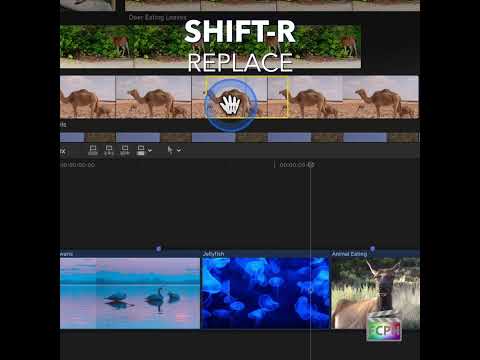
Mastering the Shift-R Keyboard Shortcut in Final Cut Pro: A Game-Changer for Editors
When it comes to video editing, speed and efficiency are crucial. Final Cut Pro offers a variety of shortcuts and tools that help editors work faster, and…
-

How Editors Can Use the Command-H Keyboard Shortcut in Final Cut Pro
As a video editor, you’re probably familiar with how important efficiency and focus are when working in a fast-paced editing environment. Whether you’re…
-

How to Use the Shift-Command- - (Hyphen) Shortcut to Decrease Clip Height in Final Cut Pro
When you browse footage in filmstrip view, big thumbnails look great but they don't leave much room. Shift-Command-Hyphen runs Decrease Clip Height : it…
-

How to Use the Control-Option-V Shortcut to Apply the Video Role in Final Cut Pro
Roles are labels that Final Cut Pro uses to organize your clips, control how they're colored in the timeline, and decide how they're grouped when you…
-
How to Use the Shift-Command-D Shortcut in Final Cut Pro: Duplicate Project as Snapshot
If you're a video editor using Final Cut Pro , you're probably already familiar with the importance of managing multiple versions of a project. Whether…
-
How to Use the Command-K Shortcut in Final Cut Pro to Manage Keywords
If you're working on a video editing project in Final Cut Pro , staying organized is key to maintaining an efficient workflow—especially when dealing with…
-

How to Use the Control-Shift-M Keyboard Shortcut in Final Cut Pro to Delete Markers in Selection
Markers are an essential tool in Final Cut Pro for keeping track of important points or sections within your project. Whether you're marking an edit…
-
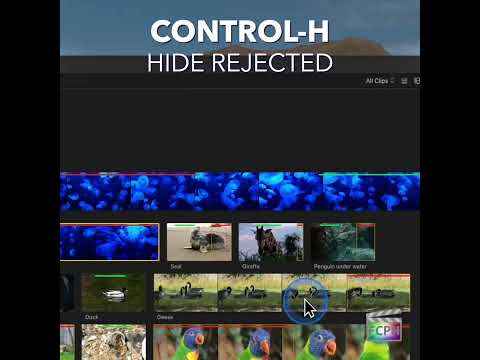
Streamline Your Editing Workflow with the Control-H Shortcut in Final Cut Pro
Final Cut Pro is a powerful tool for video editors, offering a wide range of shortcuts and features designed to make the editing process faster and more…
-

How to Use a Shortcut to Add the Default Video Effect in Final Cut Pro to Enhance Your Edits
Final Cut Pro is known for its powerful editing tools, and one feature that often gets overlooked is the Add Default Video Effect command. This simple but…
-

How to Use the Control-Option-Command-C Shortcut to Split Captions in Final Cut Pro
In Final Cut Pro, Control-Option-Command-C runs Split Captions . It splits the selected caption into multiple single-line captions. If a caption has two…
-

How to Use the Option-Shift-Left Arrow Shortcut in Final Cut Pro: Navigating Audio Angles in Multi-Camera Edits
If you're an editor working with multi-camera footage in Final Cut Pro , you've likely encountered situations where you need to quickly switch between…
-

How to Use the Command-M Shortcut to Minimize Final Cut Pro
Sometimes you just need Final Cut Pro out of the way for a moment. That’s what Command-M does. In Final Cut Pro, Command-M is the Minimize command: it…
-

Unlock Creative Possibilities with the Option-D Distort Tool in Final Cut Pro
If you're an editor looking to add some creative flair or fine-tune the geometry of your clips in Final Cut Pro , the Option-D keyboard shortcut and the…
-

Mastering the Roll Tool in Final Cut Pro: The Power of Control-Option-Command-[
When you're editing in Final Cut Pro , precision is key—whether you're fine-tuning an edit or ensuring smooth transitions between clips. One of the hidden…
-
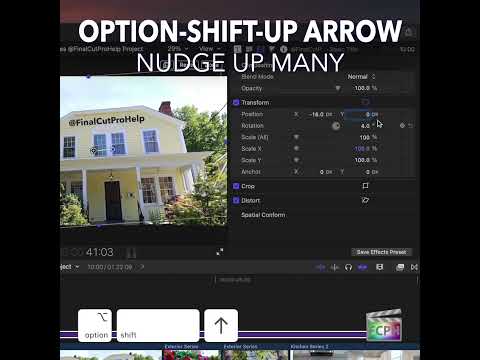
Mastering the Option-Shift-Up Arrow Shortcut in Final Cut Pro: Move Up by 10
Small, precise moves are a big part of polishing an edit. Sometimes, though, a tiny nudge is too small and you need to move something farther without…
-

Mastering the Control-2 Keyboard Shortcut in Final Cut Pro: A Guide to Efficient Editing
As any Final Cut Pro editor knows, staying organized is key to working efficiently, especially when you’re dealing with large amounts of media. One…
-

Mastering Skimming in Final Cut Pro: How to Speed Up Your Editing Process
If you're an editor working in Final Cut Pro , you know that time is of the essence. Whether you're cutting a music video, editing a documentary, or…
-

How to Use the Control-8 Keyboard Shortcut in Final Cut Pro to Apply Keyword Tag 8
Final Cut Pro is a powerful tool for video editors, and one of its key features for maintaining an organized and efficient workflow is Keyword Tags …
-
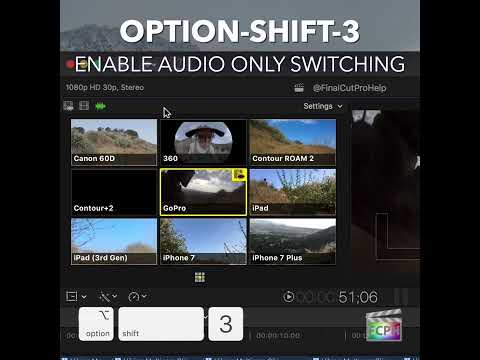
Maximizing Your Final Cut Pro Workflow with the Option-Shift-3 Shortcut: Audio-Only Multicam Switching
In Final Cut Pro, Option-Shift-3 runs Cut/Switch Multicam Audio Only . It turns on audio-only mode for multicam cutting and switching. After you press it…
-

Mastering the Option-R Shortcut in Final Cut Pro: Replace Media from the Start
As an editor, efficiency is key, especially when working on tight deadlines or complex projects. One of the most useful, yet often overlooked, shortcuts…