Keyboard Shortcut (page 6)
390 posts, newest first. Page 6 of 11. Looking for one key? See the keyboard shortcut reference.
-

Mastering Video Scopes in Final Cut Pro: The Power of Command-7
If you're an editor working with Final Cut Pro , you know that precision is key. Whether you're color grading, ensuring proper exposure, or matching…
-

Boost Your Workflow in Final Cut Pro with the Control-Command-C Shortcut for the Color Board
If you color correct with the Color Board in Final Cut Pro, you know it has three panes: Color, Saturation, and Exposure. Control-Command-C switches…
-

Mastering the Control-I Shortcut in Final Cut Pro: Set Range Start
When it comes to efficient video editing in Final Cut Pro , mastering keyboard shortcuts can save you a significant amount of time. One particularly…
-

Open Auditions in Final Cut Pro with the Y Keyboard Shortcut
In Final Cut Pro, pressing Y runs Open Audition . It opens the selected audition so you can see every alternate clip inside it and choose which one plays…
-

How to Use the Command-= (Equals) Shortcut to Zoom In in Final Cut Pro
If you're a video editor working with Final Cut Pro , you know that precision and efficiency are key to producing professional-quality content. One of the…
-

How to Use the Command-X Keyboard Shortcut in Final Cut Pro: A Guide for Editors
As a video editor, speed and efficiency are key when working with editing software like Final Cut Pro. One of the most essential shortcuts for…
-

How to Reset Your Workspace in Final Cut Pro with Command-0
If you're a Final Cut Pro editor, you know how quickly the workspace can become cluttered or disorganized. With so many panels, windows, and tools…
-

How to Use the Shift-Command-V Keyboard Shortcut in Final Cut Pro: Paste Attributes Explained
If you're an editor working in Final Cut Pro , you know how important it is to work efficiently and maintain consistency across your project. One of the…
-

How to Use the Control-Space Bar Keyboard Shortcut for Play/Pause in Final Cut Pro
As an editor, time is essential. The more quickly you can review footage, make adjustments, and fine-tune edits, the more efficient your workflow becomes…
-

Mastering the Control-D Shortcut in Final Cut Pro: A Guide to Changing Clip Duration
If you're an editor working in Final Cut Pro , you know how crucial it is to work quickly and efficiently. One of the most useful yet sometimes overlooked…
-

Mastering the Option-2 Shortcut for Multi-Camera Editing in Final Cut Pro
If you're editing a project with multiple camera angles, Final Cut Pro provides powerful tools to help you switch between shots quickly and efficiently…
-

How to Use the Option-Space Bar Shortcut in Final Cut Pro to Play from the Playhead
When editing in Final Cut Pro , speed and efficiency are key. One simple yet powerful shortcut that can enhance your editing workflow is Option-Space Bar…
-
Mastering the Option-Shift-Command-S Shortcut in Final Cut Pro: How to Use Audio Lanes to Boost Your Editing Efficiency
As a video editor working in Final Cut Pro, it's essential to have the right tools at your fingertips to streamline your workflow and stay organized…
-

How to Use the 4 Keyboard Shortcut to Cut and Switch to Multicam Angle 4 in Final Cut Pro
When you edit a multicam clip in Final Cut Pro, the number keys turn your keyboard into a live camera switcher. Press 4 and Final Cut Pro performs Cut and…
-

Mastering Multi-Camera Editing with Final Cut Pro: The Power of Option-9
When it comes to editing complex projects, such as live events, interviews, or multi-angle music videos, Final Cut Pro’s multi-camera editing feature is a…
-

How to Use the Control-Option-Command-Left Arrow Shortcut to Pan 360° Video in Final Cut Pro
If you're working with 360° video in Final Cut Pro , you're probably familiar with the complexities of navigating a spherical video environment. Editing…
-

How to Use the Shift-Q Shortcut in Final Cut Pro: Connect to Primary Storyline with Backtiming
A normal connect edit (Q) starts the new clip at the playhead. Sometimes you need the opposite: a clip that ends at an exact moment. That's what Shift-Q…
-

Mastering Multi-Camera Editing in Final Cut Pro: The Power of Keyboard Shortcut 7
When it comes to editing multi-camera footage, efficiency is key. Whether you're working on a live concert, a complex interview, or a high-energy action…
-

Using the Control-Option-Command- - (Hyphen) Shortcut to Widen the 360° Viewer in Final Cut Pro
In Final Cut Pro, Control-Option-Command- - (Hyphen) runs Increase Field of View . It widens the field of view in the 360° Viewer , so you see more of…
-

How to Use the Option-3 Keyboard Shortcut in Final Cut Pro for Multi-Camera Editing
In Final Cut Pro, Option-3 runs Switch to Viewer Angle 3 . It switches the multicam clip in your project to angle 3 of the current bank. It's a switch…
-
How to Hide Selected Browser Clips in Final Cut Pro with Option-H
A busy Browser makes it harder to find the shots you actually want. Final Cut Pro's Option-H shortcut helps by hiding the clips you select, so the rest…
-

Mastering the Transform Tool in Final Cut Pro: The Power of the Shift-T Shortcut
Final Cut Pro is packed with tools and shortcuts that help streamline your editing workflow, but some are more essential than others. One of the most…
-

How to Use the Option-Command-Up Arrow Shortcut in Final Cut Pro
Sometimes a clip in your primary storyline would work better as a connected clip, layered above your edit instead of part of it. Option-Command-Up Arrow…
-

Mastering Playback with the L Key in Final Cut Pro: A Must-Know Shortcut for Editors
Final Cut Pro is packed with powerful features designed to streamline the video editing process. Among the many shortcuts available, the L key stands out…
-

Mastering the Control-Shift-V Keyboard Shortcut in Final Cut Pro: Soloing Animations
Once a clip has several effects with keyframes, its Video Animation editor can get crowded. Control-Shift-V turns on Solo Animation , which shows one…
-
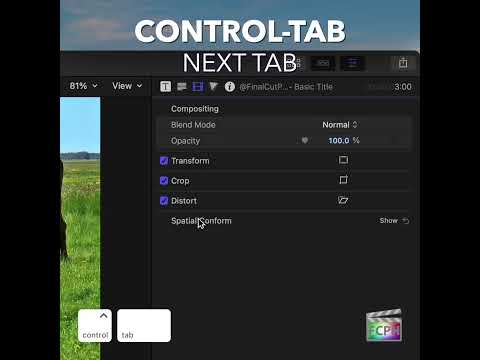
How to Use the Option-Tab Shortcut to Speed Up Text Editing in Final Cut Pro
When you're working with text in Final Cut Pro , whether it's titles, captions, or text overlays, efficiency is key. One simple but incredibly useful…
-

How to Use the Control-Shift-T Shortcut in Final Cut Pro to Add Default Lower Thirds
As an editor, efficiency is key, especially when working with tight deadlines or large projects. If you're working in Final Cut Pro and need to quickly…
-

Streamline Your Multi-Camera Edits with the "Cut & Switch to Viewer Angle 1" Shortcut in Final Cut Pro
When working with multi-camera projects in Final Cut Pro , efficiency is key. The ability to quickly switch between different camera angles while making…
-

Shift-\ in Final Cut Pro: Select Both Audio Edges of an Edit Point
The Shift-\ (Backslash) shortcut in Final Cut Pro selects the left and right audio edges of an edit point at the same time. It only does this when the…
-

Mastering Audio Editing in Final Cut Pro: How to Nudge Audio by Subframes
When it comes to editing audio in Final Cut Pro, precision is key. Whether you're syncing dialogue, sound effects, or music, small adjustments can make a…
-

Mastering Audio Adjustments in Final Cut Pro: The Power of the Control-= (Equal Sign) Shortcut
When it comes to video editing, audio is just as important as the visuals. Whether you’re working with dialogue, sound effects, or background music…
-

How to Use the Shift-2 Shortcut to Edit Video Only in Final Cut Pro
Sometimes you want the picture from a clip but not its sound. Maybe the B-roll has wind noise, or the camera audio is useless because you recorded sound…
-

How to Use the Command-4 Shortcut to Show/Hide the Inspector in Final Cut Pro
If you're editing with Final Cut Pro , efficiency and speed are key. One of the best ways to streamline your workflow is by mastering keyboard shortcuts…
-

How to Increase Audio Waveform Size in Final Cut Pro for Better Precision
When editing audio in Final Cut Pro, precision is key. Whether you're syncing dialogue, tweaking sound effects, or performing intricate audio edits…
-

How to Use the Command-1 Keyboard Shortcut in Final Cut Pro
Final Cut Pro is a powerful video editing software, and one of its most valuable features is the ability to customize your workflow. The Command-1…
-
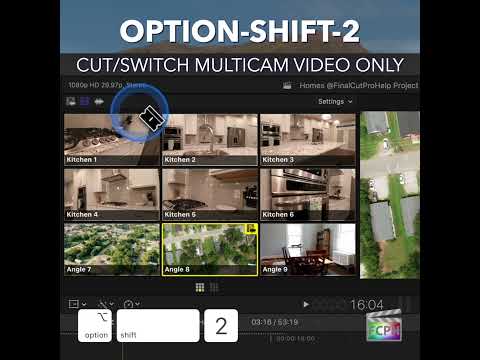
Mastering Multicam Editing in Final Cut Pro: The Power of Option-Shift-2
If you're a video editor working with multicam footage in Final Cut Pro , you're likely familiar with the challenge of switching between multiple video…