Keyboard Shortcut (page 2)
390 posts, newest first. Page 2 of 11. Looking for one key? See the keyboard shortcut reference.
-

Mastering Final Cut Pro: How to Use the Option-Shift-Y Shortcut to Finalize Auditions
In the world of video editing, Final Cut Pro offers a wealth of powerful tools to make the process smoother and more efficient. One of these tools is the…
-

Boost Your Final Cut Pro Workflow with the Option-Shift-F Shortcut: Reveal Project in Browser
Final Cut Pro is a powerful tool for video editors, offering a wide range of features to streamline the editing process. However, even with all its…
-
How to Use the Option-Shift-H Shortcut to Show Hidden Clips in Final Cut Pro
In Final Cut Pro, Option-Shift-H runs Show/Hide Hidden Clips . It's a toggle for the Browser : press it once to show clips that are currently hidden from…
-

Boost Your Editing Efficiency with the Control-Y Shortcut in Final Cut Pro
If you're an editor working in Final Cut Pro , you know how important it is to streamline your workflow and make the editing process as efficient as…
-

Mastering the Q Keyboard Shortcut in Final Cut Pro: Connect to Primary Storyline
Final Cut Pro is a powerful video editing tool with an array of keyboard shortcuts designed to streamline the editing process. One of the most useful but…
-

Mastering Color Grading and Effects in Final Cut Pro with Control-Shift-2
Final Cut Pro is a powerful tool for video editors, offering an array of features that allow for professional-grade editing. One such feature is the…
-

Mastering Final Cut Pro: The Power of the Option-O Shortcut to Clear Range End
As editors, we're always looking for ways to streamline our workflows and speed up our editing process. One of the more subtle yet powerful shortcuts in…
-

How to Use the Shift-Delete Shortcut to Replace a selection with a Gap in Final Cut Pro
When you're working on a tight edit in Final Cut Pro , efficiency and precision are key. One of the lesser-known but incredibly useful features in the…
-

How to Use the Control-Command-1 Shortcut in Final Cut Pro to Show/Hide the Browser
If you're an editor using Final Cut Pro , you’re probably aware of how important it is to have a clean and efficient workspace. One feature that can help…
-
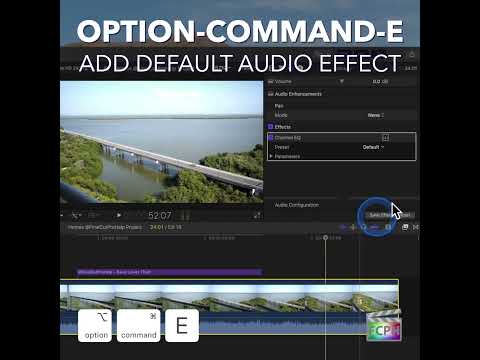
Mastering Final Cut Pro: What You Need to Know About the Command-E Keyboard Shortcut
As editors, we know that time is precious, and efficiency is key—especially when working on a tight deadline or juggling multiple projects. One of the…
-

Mastering the Shift-M Shortcut in Final Cut Pro: Modify Markers Fast
In Final Cut Pro, Shift-M runs Modify Marker . It opens the marker window for the current marker, or for the next marker if the playhead isn't parked on…
-

How to Deselect All in Final Cut Pro with Shift-Command-A
If you’re an editor using Final Cut Pro , you know how important it is to keep your workspace organized and efficient. Whether you’re working with a large…
-

Mastering the Control-P Shortcut in Final Cut Pro: A Time-Saving Tool for Editors
Press Control-P and the timecode display in the dashboard, above the timeline, clears and waits for your entry. Type a timecode and press Return , and the…
-

Mastering Final Cut Pro: How to Use the Shift-Command-K Shortcut to Create Keyword Collections
Final Cut Pro is a powerful video editing tool, beloved by professionals for its efficiency, precision, and vast array of features. One feature that can…
-

Mastering the Range Selection Tool in Final Cut Pro: A Guide for Editors
When it comes to video editing, precision and flexibility are key. Whether you're trimming a clip, applying an effect, or making a subtle adjustment to…
-

How to Use the Control-T Keyboard Shortcut in Final Cut Pro to Add a Default Title
If you're editing in Final Cut Pro and need to add titles to your project, the Control-T keyboard shortcut can be a real time-saver. Whether you're…
-

Mastering the Control-[ Keyboard Shortcut in Final Cut Pro: Select the Left Video Edge
In Final Cut Pro, Control-[ (Left Bracket) runs Select Left Video Edge . When an audio/video clip's audio is expanded, it selects the left edge of the…
-

Mastering Final Cut Pro: How to Use the Control-O Shortcut to Set Range End
When editing with Final Cut Pro , efficiency is key. Whether you’re trimming clips, reviewing footage, or exporting specific sections of your project…
-

Mastering Marker Nudging in Final Cut Pro: The Power of Control-, (Comma)
When you're working in Final Cut Pro , precision is key. Whether you’re syncing audio, marking key moments in a video, or refining your edits, having the…
-
How to Use the Shift-Command-C Shortcut to Transcribe Audio to Captions in Final Cut Pro
Final Cut Pro is packed with powerful tools that make video editing easier and more efficient, especially when it comes to accessibility and captioning…
-

Mastering the Control-S Shortcut in Final Cut Pro: Expand Audio/Video for Split Edits
Final Cut Pro keeps a clip's video and audio together in one piece, which keeps everything in sync. But to make J-cuts and L-cuts, you need to work on the…
-

Mastering the Option-] Shortcut in Final Cut Pro: How to Trim the End of Clips Efficiently
When editing video in Final Cut Pro , speed and precision are key. Whether you're trimming out unwanted footage or tightening up your timeline, knowing…
-

How to Use the Control-Option-Command-Right Arrow Shortcut in Final Cut Pro for 360° Video Editing
If you're working with 360-degree video in Final Cut Pro , one of the most helpful tools at your disposal is the ability to quickly navigate your footage…
-

Mastering Audio Adjustments in Final Cut Pro: Using the Control-Command-L Shortcut
As a Final Cut Pro editor, you know how important it is to get your audio just right. Whether it's balancing dialogue, background music, or sound effects…
-
How to Use the Option-Shift-R Keyboard Shortcut for Voiceover Recording in Final Cut Pro
Recording narration straight into your project is one of Final Cut Pro's most useful features, and Option-Shift-R makes it quicker. This shortcut runs…
-

Mastering Final Cut Pro: Using the = (Equal Sign) Keyboard Shortcut for Positive Timecode Entry
When you're deep in the edit, every second saved matters. In Final Cut Pro , mastering timecode shortcuts is a surefire way to boost your speed and…
-
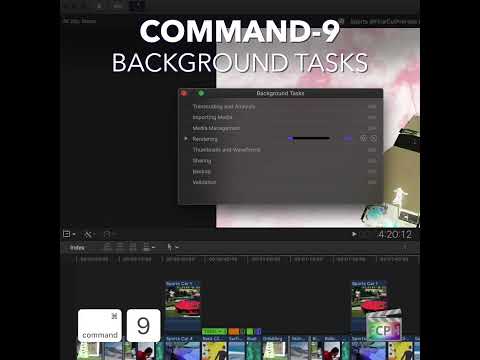
How to Use the Command-9 Keyboard Shortcut in Final Cut Pro to Manage Background Tasks
As editors work through projects in Final Cut Pro , it's common to run multiple processes simultaneously—whether it's rendering a timeline, exporting a…
-

How to Use the \ (Backslash) Shortcut in Final Cut Pro to Select Both Edit Edges
The Backslash (\) key in Final Cut Pro runs the command Select Left and Right Edit Edges . It selects both sides of an edit point at once: the end of the…
-

Mastering Reverse Playback in Final Cut Pro: The Power of Shift-Space Bar
As an editor in Final Cut Pro , you're likely familiar with the basic playback functions—pause, play, forward, and scrub. But did you know there’s a…
-

How to Reset the Field of View in Final Cut Pro with a Simple Keyboard Shortcut
If you're an editor working in Final Cut Pro , you know how easy it is to adjust the position, scale, or crop of a clip as you refine your project. But…
-

Mastering Final Cut Pro: How to Use the Option-V Shortcut to Paste as Connected
Final Cut Pro is packed with shortcuts that can significantly speed up your editing workflow. One such shortcut, Option-V , allows editors to paste clips…
-

Mastering the Command-] (Right Bracket) Shortcut in Final Cut Pro to Go Forward in Timeline History
Command-] (Right Bracket) runs the Final Cut Pro command Timeline History Forward . It goes forward one level in the Timeline history. Timeline history…
-
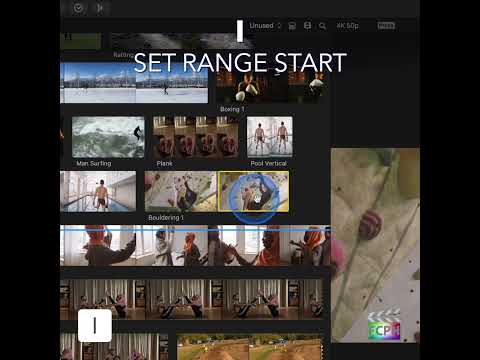
Mastering the "I" Keyboard Shortcut in Final Cut Pro: A Guide for Editors
Final Cut Pro is packed with powerful editing tools designed to help filmmakers and video editors work more efficiently. One of the most useful shortcuts…
-

Shift-Command-= in Final Cut Pro: Increase Browser Clip Height
In Final Cut Pro, Shift-Command-= (Equals) is Increase Clip Height , and it works in the Browser . It makes the clips in the Browser taller, so their…
-

How to Use the Control-Option-5 Shortcut for Filmstrip View in Final Cut Pro
If you're an editor working in Final Cut Pro , you know how important it is to keep your workflow as efficient as possible. One often-overlooked but…
-

Mastering the Shift-Command-O Keyboard Shortcut in Final Cut Pro
In the Final Cut Pro Browser, a single clip can hold more than one range selection at a time. Shift-Command-O sets the end of one of those additional…