Keyboard Shortcut (page 10)
390 posts, newest first. Page 10 of 11. Looking for one key? See the keyboard shortcut reference.
-
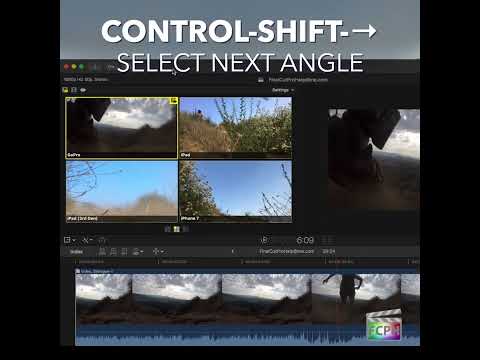
Mastering Multicam Editing in Final Cut Pro: How to Use the Control-Shift-Right Arrow Shortcut
If you're working on a project that requires cutting between multiple camera angles, you know how crucial it is to have an efficient workflow. Whether…
-

Unlocking the Power of Command-J in Final Cut Pro: Project Properties Explained
If you're an editor working in Final Cut Pro , mastering keyboard shortcuts can significantly speed up your workflow and make your editing process more…
-

How to Use the Command-N Shortcut in Final Cut Pro for Efficient Editing
If you're an editor working in Final Cut Pro , you know how important it is to streamline your workflow. One of the simplest yet most powerful shortcuts…
-

How to Use the Control-Option-T Shortcut in Final Cut Pro to Apply Titles Role
If you're an editor working with Final Cut Pro , you know how important it is to keep your timeline organized, especially when dealing with large, complex…
-

Mastering the "K" Keyboard Shortcut in Final Cut Pro
When it comes to efficient video editing, speed and precision are key. Final Cut Pro , Apple's professional video editing software, offers a variety of…
-
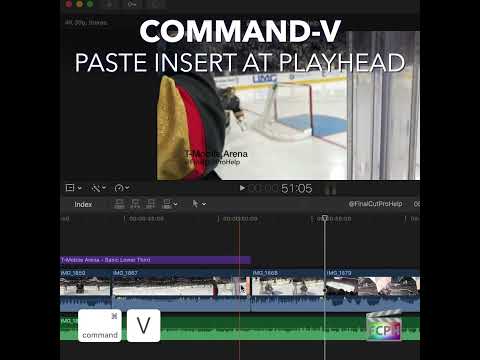
Mastering the Paste Insert at Playhead Command in Final Cut Pro: A Time-Saving Trick for Editors
Final Cut Pro is packed with powerful tools to help editors create seamless, professional-quality videos. One feature that often goes underutilized, but…
-

How to Use the Control-R Shortcut to Render Selection in Final Cut Pro
If you’re an editor working with Final Cut Pro , you’ve probably encountered situations where the playback of your project starts to lag, stutter, or show…
-

How the Shift-Command-N Keyboard Shortcut Creates Folders in Final Cut Pro
In Final Cut Pro, Shift-Command-N runs New Folder . It creates a new folder in the Libraries sidebar, so you can organize keyword collections and Smart…
-

Mastering Exact Speed Changes in Final Cut Pro with the Control-Option-R Custom Speed Shortcut
Control-Option-R runs the Final Cut Pro command Custom Speed . It opens the Custom Speed window, where you can set an exact speed for your selection…
-

Mastering the Command-G Shortcut in Final Cut Pro: How to Create and Use Storylines
If you’re an editor working with Final Cut Pro, you know how quickly a timeline can get cluttered with multiple clips, effects, and audio tracks. The more…
-

How to Remove Keywords in Final Cut Pro with the Control-0 Shortcut
In Final Cut Pro, managing your clips and organizing your project’s metadata is crucial for an efficient editing workflow. Keywords are one of the most…
-

How to Use the Option-1 Shortcut to Switch a Multicam Clip to Angle 1 in Final Cut Pro
Option-1 runs the Final Cut Pro command Switch to Viewer Angle 1 . Final Cut Pro describes it as switching the multicam clip to angle 1 of the current…
-

Mastering Audio Editing in Final Cut Pro: How to Nudge Audio Subframe Right
When you're editing audio in Final Cut Pro , precision is key. Whether you're working on dialogue, sound design, or syncing music, even the smallest…
-

Boost Your Final Cut Pro Efficiency with the Control-Shift-Tab Shortcut
The Inspector is where you adjust almost everything about a clip, and it's split into tabs. Control-Shift-Tab runs Previous Inspector Tab : it takes you…
-
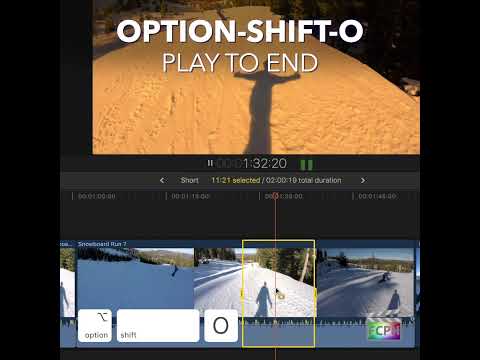
Mastering Final Cut Pro: The Power of the "Play to End" Shortcut (Option-Shift-O)
When it comes to editing in Final Cut Pro , efficiency is key. Whether you’re trimming clips, fine-tuning audio, or reviewing your timeline for errors…
-

Mastering the D Key Shortcut for Overwrite Editing in Final Cut Pro
Final Cut Pro is packed with powerful editing tools that can speed up your workflow, and one of the most essential shortcuts for efficient editing is the…
-

Mastering the "Trim to Selection" Shortcut in Final Cut Pro
If you're editing in Final Cut Pro , you know that time is of the essence. Whether you're trimming clips for a fast-paced sequence or fine-tuning your…
-

Mastering the Command-[ Shortcut in Final Cut Pro: Go Back in Timeline History
When you open a compound clip, a multicam clip, or a different project, Final Cut Pro keeps track of where you've been in the timeline. That trail is…
-

How to Use the Control-Command-Y Shortcut in Final Cut Pro to Preview an Audition
Control-Command-Y runs the Final Cut Pro command Audition: Preview . It plays the pick in context in the timeline. In other words, it lets you see and…
-

How to Use the Control-4 Keyboard Shortcut in Final Cut Pro for Efficient Editing
If you're an editor working with Final Cut Pro , you probably already know how important it is to stay organized, especially when dealing with large…
-

How to Use the Shift-A Keyboard Shortcut for Multicam Audio Monitoring in Final Cut Pro
In Final Cut Pro, Shift-A runs Monitor Audio . It's a multicam command: it turns audio monitoring on or off for the angle you're skimming. That lets you…
-

Mastering Playback Control in Final Cut Pro: The Power of K + J/L for Half-Speed Review
When editing video in Final Cut Pro , precision is key. Whether you're syncing audio to video, fine-tuning transitions, or reviewing a complex sequence…
-

How to Use the Command-6 Keyboard Shortcut in Final Cut Pro: A Guide to the Color Inspector
If you're an editor working with Final Cut Pro , you know how important it is to achieve the perfect color balance in your footage. Whether you're…
-

Mastering the Trim Tool in Final Cut Pro: What You Need to Know
Whether you're a beginner or a seasoned editor, mastering Final Cut Pro’s Trim Tool is essential for achieving precision and efficiency in your video…
-

How to Use the Option-C Keyboard Shortcut to Add Captions in Final Cut Pro
Captions are an essential part of modern video editing, especially for accessibility, localization, and providing a better user experience. Fortunately…
-

Mastering Final Cut Pro: Using the Left Bracket ( [ ) Shortcut to Select the Left Edge of an Edit
The Left Bracket ([) key in Final Cut Pro runs the command Select Left Edge . It selects the left edge of the edit point nearest the skimmer or playhead…
-
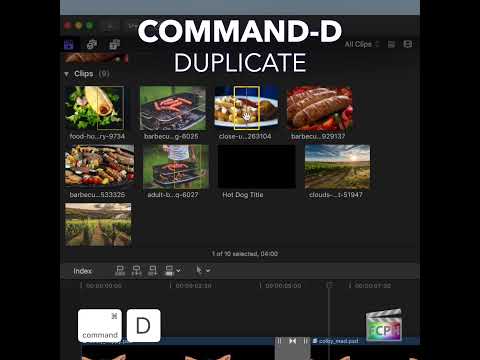
How to Use the Command-D Shortcut in Final Cut Pro to Duplicate Projects and Clips
Before you make a big change to an edit, it’s smart to have a safe copy. In Final Cut Pro, Command-D is the Duplicate command. It duplicates the selected…
-

Mastering the Option-Shift-Right Arrow Shortcut in Final Cut Pro
If you're an editor working with multi-camera or multi-angle setups in Final Cut Pro , you know that managing both video and audio tracks can become a…
-

How to Use the Position Tool in Final Cut Pro: A Quick Guide
Final Cut Pro is a powerful tool for video editing, offering a wide range of shortcuts and features to help editors work efficiently. One of the…
-

Boost Your Editing Efficiency with the Option-Command-H Shortcut in Final Cut Pro
If you’re a video editor using Final Cut Pro , you know how important it is to maintain a clean, focused workspace while editing. With so many tasks to…
-

Mastering the Shift-Command-X Shortcut in Final Cut Pro: A Quick Guide to Removing Attributes
As a Final Cut Pro editor, you know that sometimes things don’t go as planned with applied effects, transformations, or adjustments. Fortunately, Apple…
-

Mastering Final Cut Pro: Using the - Keyboard Shortcut for Negative Timecode Entry
In the fast-paced world of video editing, efficiency and precision are key. Whether you're trimming clips, syncing audio, or perfecting transitions, Final…
-
How to Use the Command- - (Minus) Keyboard Shortcut in Final Cut Pro for Zooming Out
If you're an editor working in Final Cut Pro , one of the most useful shortcuts you can master is Command- - (Command + Minus Sign) . This simple shortcut…
-

Mastering the Up Arrow Shortcut in Final Cut Pro for Efficient Editing
If you’re an editor working in Final Cut Pro , you know that time is precious. The more efficient you can be while navigating your project, the better…
-

Mastering Final Cut Pro: How to Use the Option-Shift-; Keyboard Shortcut for Multicam Banks
In Final Cut Pro, Option-Shift-; (Semicolon) runs Go to Previous Bank . It shows the previous bank of multicam angles in the Angle Viewer. It's a multicam…
-

How to Use the Option-Shift-‘ Keyboard Shortcut in Final Cut Pro to Navigate Multicam Banks
If you're an editor working with multicam footage in Final Cut Pro , you know how important it is to efficiently manage and switch between multiple camera…