Keyboard Shortcut (page 5)
390 posts, newest first. Page 5 of 11. Looking for one key? See the keyboard shortcut reference.
-

How to Use the Option-X Shortcut to Clear Selected Ranges in Final Cut Pro
Range selections are one of the most useful tools in Final Cut Pro, but sometimes a range sticks around after you're done with it. Option-X gets rid of it…
-

Boost Your Editing Speed with the Command-Down Arrow Shortcut in Final Cut Pro
When it comes to video editing, speed and efficiency are key. Whether you're working on a fast-paced commercial or a feature-length film, being able to…
-

How to Use the Option-Shift-Delete Shortcut to Delete Keyframes in Final Cut Pro
Final Cut Pro is an incredibly powerful video editing tool that allows editors to create dynamic, professional-quality animations and transitions. One of…
-

How to Use the Control-L Shortcut to Play Forward in Final Cut Pro
Control-L is bound to the Final Cut Pro command Play Forward , the same command as the L key. Final Cut Pro describes it as play forward, and pressing it…
-

How to Use the Option-[ Keyboard Shortcut in Final Cut Pro to Trim the Start of a Clip
Final Cut Pro is a powerful video editing tool that offers a wide range of shortcuts designed to speed up the editing process. One such shortcut is…
-

Mastering the Shift-D Keyboard Shortcut in Final Cut Pro: A Guide to Overwrite - Backtimed
When editing in Final Cut Pro , efficiency is key. As you work with clips in your timeline, knowing the right shortcuts can make all the difference. One…
-

Boost Your Final Cut Pro Workflow with the Command-2 Shortcut
Navigate the Timeline Faster and Edit Like a Pro As an editor using Final Cut Pro , you know that efficiency is key. The more time you spend editing, the…
-

How to Use the Option-W Shortcut to Insert Gap in Final Cut Pro
When editing in Final Cut Pro , one of the most valuable tools at your disposal is the ability to manipulate the timeline to suit your creative vision…
-

Mastering the Command-, Shortcut in Final Cut Pro: A Time-Saving Tip for Editors
If you're an editor working with Final Cut Pro, you know that speed and efficiency are key to maintaining your creative flow. While there are countless…
-

Mastering Markers in Final Cut Pro: A Time-Saving Shortcut Every Editor Should Know
If you're an editor working in Final Cut Pro , you know that managing a large project with tons of footage can get overwhelming. Whether you're editing a…
-
Boost Your Multicam Editing Speed in Final Cut Pro with This Simple Keyboard Shortcut
Editing multicam footage in Final Cut Pro can be a time-consuming process, especially when you're working with multiple camera angles. Switching between…
-

How to Use the Histogram in Final Cut Pro: A Quick Guide for Editors
As a video editor, maintaining proper exposure, contrast, and color balance in your footage is crucial. One powerful tool to help with this is the…
-

Mastering the Command-Right Arrow Shortcut in Final Cut Pro
Boost Your Editing Efficiency with a Simple Shortcut Final Cut Pro is packed with powerful tools designed to make your editing process faster and more…
-

How to Use the Control-F Keyboard Shortcut to Show Favorites in Final Cut Pro
Marking your best moments as favorites is one of the smartest habits in Final Cut Pro. But once they’re marked, how do you see just the good stuff? That’s…
-

How to Nudge Clips in Final Cut Pro Using the Shift-. (Period) Shortcut
Final Cut Pro is packed with time-saving keyboard shortcuts that can make the editing process faster and more precise. One of the lesser-known yet highly…
-

Boost Your Final Cut Pro Workflow with the Option-Shift-N Shortcut: Viewing Clip Names in the Browser
Option-Shift-N runs the Final Cut Pro command View Clip Names . It shows or hides clip names in the Browser . It's a Browser display option, not a…
-

Mastering Efficiency in Final Cut Pro: The Power of the Command-W Shortcut
If you’re an editor using Final Cut Pro , you know that time is of the essence. Every second counts when you’re piecing together a complex edit. To make…
-
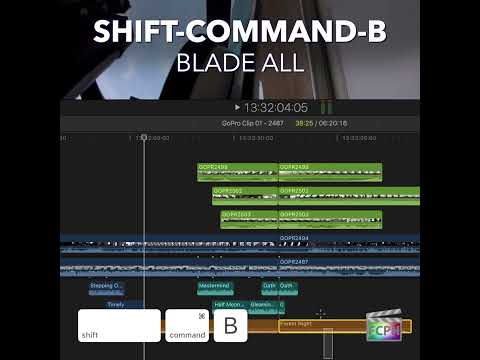
Mastering the Command-B Shortcut in Final Cut Pro: The Quick Guide for Editors
Final Cut Pro is packed with tools designed to streamline your editing workflow, but some of the most powerful features are often the simplest. One such…
-

Mastering the Shift-Left Arrow Shortcut in Final Cut Pro: Go Back 10 Frames in a Snap
As any video editor knows, precision is key when working in a non-linear editing software like Final Cut Pro (FCP). Whether you're fine-tuning an edit…
-

Boost Your Editing Efficiency: How the Shift-1 Shortcut Sets Source Media to Audio and Video in Final Cut Pro
Have you ever edited a clip into your timeline and ended up with only the picture, or only the sound? That's usually the source media setting. Shift-1…
-

Option-Shift-1 in Final Cut Pro: Multicam Audio and Video Switching
When you cut a multicam clip in Final Cut Pro, each cut or switch can change the video, the audio, or both. Option-Shift-1 turns on audio/video mode , so…
-

How to Use the Option-Command-G Shortcut to Synchronize Clips in Final Cut Pro
If you're an editor working with Final Cut Pro , you know how important it is to keep your video and audio perfectly in sync. Whether you're dealing with…
-

How to Use the U Keyboard Shortcut in Final Cut Pro to Unrate Selections
Final Cut Pro offers powerful tools to help editors stay organized, especially when working with large amounts of footage. One of these tools is the…
-

Mastering the Shift-N Shortcut in Final Cut Pro: Create Normal Speed Segments with Ease
Final Cut Pro is packed with powerful tools that can streamline the video editing process. One of the most useful features for editors working with time…
-

Mastering Precision in Final Cut Pro: Using the Option-Right Arrow for Next Subframe Navigation
When it comes to video editing, precision is key. Whether you're syncing audio to video, adjusting a transition, or fine-tuning an effect, every frame…
-

How to Use the Control-Shift-3 Shortcut for the Dual Displays Workspace in Final Cut Pro
Control-Shift-3 is a real Final Cut Pro shortcut. It runs the command Dual Displays , which applies the Dual Displays workspace. If you have a second…
-

Boost Your Final Cut Pro Workflow with the Option-Shift-C Shortcut: Copying Keyframes Made Easy
If you're an editor working in Final Cut Pro , you already know that keyframes are essential for animating effects, transitions, and motion graphics. But…
-

Mastering the Zoom Tool in Final Cut Pro: A Quick Guide for Editors
When it comes to editing in Final Cut Pro , precision and speed are key. Whether you're trimming clips, adjusting transitions, or fine-tuning effects…
-

Mastering Final Cut Pro: How to Use the Shift-Right Arrow Shortcut for Efficient Frame Navigation
Whether you're a seasoned editor or just getting started with Final Cut Pro , understanding and mastering keyboard shortcuts can significantly speed up…
-
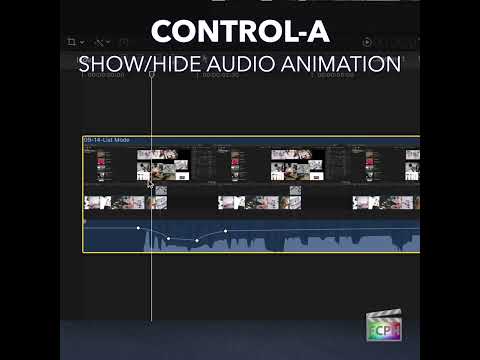
Control-A in Final Cut Pro: Show the Audio Animation Editor
In Final Cut Pro, Control-A shows or hides the Audio Animation editor for the selected clips or components. It's how you see and edit audio keyframes…
-

Mastering Multi-Camera Edits in Final Cut Pro: The Power of Option-7
When you're editing a multi-camera production in Final Cut Pro , speed and efficiency are key. Whether you're cutting between multiple angles of a live…
-

Mastering Final Cut Pro: How the Control-Shift-Left Arrow Shortcut Switches to the Previous Multicam Angle
When you're refining a multicam edit, you often want to try a few different cameras on the same section before settling on one. Control-Shift-Left Arrow…
-
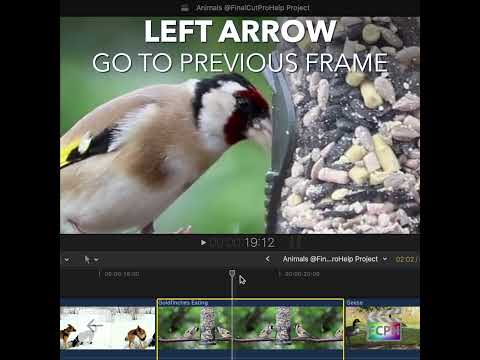
Mastering the Left Arrow Shortcut in Final Cut Pro: A Must-Have for Frame-By-Frame Editing
When it comes to fine-tuning your edits in Final Cut Pro , precision is key. Whether you're working on a complex sequence or making micro-adjustments to a…
-

Understanding the Option-N Shortcut: Create a New Event in Final Cut Pro
Good organization starts before you import a single clip. In Final Cut Pro, Option-N runs the New Event command, which creates a new event in a library…
-

Control-Command-3 in Final Cut Pro: Show or Hide the Event Viewer
In Final Cut Pro, Control-Command-3 shows or hides the Event Viewer . The Event Viewer is a second viewer that sits next to the main Viewer. It isn't…
-
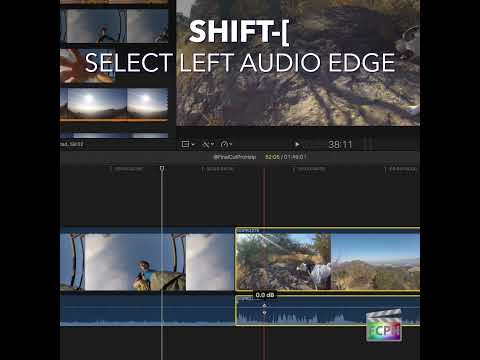
Mastering Final Cut Pro: How to Use the Shift-[ Shortcut to Select the Left Audio Edge
Split edits, where the sound changes at a different moment than the picture, make dialogue scenes feel natural. Shift-[ (Shift-Left Bracket) gives you a…