Mastering Final Cut Pro: How to Use the Option-Shift-; Keyboard Shortcut for Multicam Banks
Keyboard shortcut: OptionShiftSemicolon

What Option-Shift-; Does
In Final Cut Pro, Option-Shift-; (Semicolon) runs Go to Previous Bank. It shows the previous bank of multicam angles in the Angle Viewer. It's a multicam command. It has nothing to do with the Effects, Transitions, or Titles browsers.
What Is a Bank?
The Angle Viewer can show a limited number of angles at once, such as 4, 9, or 16. If your multicam clip has more angles than that, Final Cut Pro splits them into banks. Only the angles in the current bank are visible, and the number keys and Option-number keys refer to angles in the current bank.
How to Use It
- Edit a multicam clip into your project.
- Open the Angle Viewer with Shift-Command-7.
- If you're on a later bank, press Option-Shift-Semicolon to go back to the previous bank of angles.
- Press Option-Shift-Apostrophe to go to the next bank.
- Cut or switch to angles in the bank that's showing.
Tips
- If you have only a few more angles than fit, try changing the Angle Viewer to show more angles so everything fits in one bank.
- Remember that angle numbers are relative to the current bank. Pressing 3 on the second bank picks the third angle in that bank.
- Keep the bank you use most showing while you cut, and switch only when you need another camera.




Related tutorials
-

How to Use the Option-Shift-‘ Keyboard Shortcut in Final Cut Pro to Navigate Multicam Banks
If you're an editor working with multicam footage in Final Cut Pro , you know how important it is to efficiently manage and switch between multiple camera…
-

Option-Shift-1 in Final Cut Pro: Multicam Audio and Video Switching
When you cut a multicam clip in Final Cut Pro, each cut or switch can change the video, the audio, or both. Option-Shift-1 turns on audio/video mode , so…
-
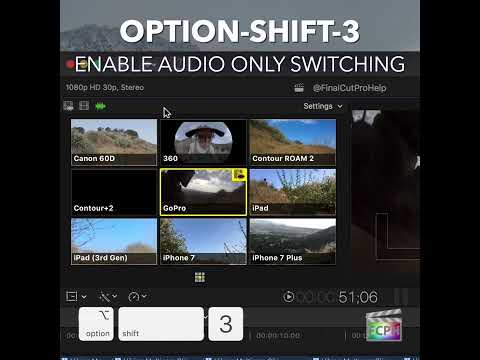
Maximizing Your Final Cut Pro Workflow with the Option-Shift-3 Shortcut: Audio-Only Multicam Switching
In Final Cut Pro, Option-Shift-3 runs Cut/Switch Multicam Audio Only . It turns on audio-only mode for multicam cutting and switching. After you press it…