Final Cut Pro tutorials (page 4)
153 posts, newest first. Page 4 of 5.
-
Navigating the Timeline
Navigating the Timeline: a free Final Cut Pro video tutorial from An Awesome Guide with Apple Certified trainer Jared Ewing.
-
Building a Project with Clips
Building a Project with Clips: a free Final Cut Pro video tutorial from An Awesome Guide with Apple Certified trainer Jared Ewing.
-
Creating a Project
Creating a Project: a free Final Cut Pro video tutorial from An Awesome Guide with Apple Certified trainer Jared Ewing.
-
Using Search & Creating Smart Collections
Using Search & Creating Smart Collections: a free Final Cut Pro video tutorial from An Awesome Guide with Apple Certified trainer Jared Ewing.
-
Using the Info Inspector to Add Metadata
Using the Info Inspector to Add Metadata: a free Final Cut Pro video tutorial from An Awesome Guide with Apple Certified trainer Jared Ewing.
-
Marking Clips as Favorite or Rejected
Marking Clips as Favorite or Rejected: a free Final Cut Pro video tutorial from An Awesome Guide with Apple Certified trainer Jared Ewing.
-
Working with a Script & Other Tips
Working with a Script & Other Tips: a free Final Cut Pro video tutorial from An Awesome Guide with Apple Certified trainer Jared Ewing.
-
Organizing with Keywords
In today's fast-paced editing world, managing your media efficiently within Final Cut Pro is crucial for both new editors and seasoned professionals. One…
-
Viewing Groups of Clips
In this video, we'll show you how to view and group clips in Final Cut Pro, allowing you to efficiently manage your media and streamline your workflow…
-
Navigating the Browser
Navigating the Browser: a free Final Cut Pro video tutorial from An Awesome Guide with Apple Certified trainer Jared Ewing.
-
Final Cut Pro Preferences
Final Cut Pro Preferences: a free Final Cut Pro video tutorial from An Awesome Guide with Apple Certified trainer Jared Ewing.
-
Understanding the Import Options
After selecting a source it is time to select which files to import. The Media Import window allows playback of many types of clips before import. Make a…
-
Deleting Saved Color Swatches from the Color Picker | Final Cut Pro Help Live
This is a snippet from a recent Final Cut Pro Help Live show. The question: How to delete saved colors from Final Cut Pro X?
-
Media Import Window
The Media Import window contains a source list and preview area. Select a source to browse the media on it. Make a selection of media to be imported into…
-
Creating an Event
Every Final Cut Pro Library includes at least one event. When media including video, audio, and still images are imported into Final Cut, the source media…
-
Creating a Library
Some new editors are able to edit a video without understanding what a Library is. However, understanding what a Library is and how it fits into the Final…
-
Create a Backup Plan
Create a backup plan and verify data is backed up Follow along with the same media used in this course. Go to EditStock.com and use coupon code FCPHELP…
-
How Final Cut Pro Interacts with Files
Have you asked where does Final Cut Pro store media? You may not have thought about it but knowing how Final Cut links clips in Final Cut to the files…
-
Final Cut Interface Tour
Start to get familiar with Final Cut Pro by taking this tour of the interface
-
Reinstalling FCPX
How to reinstall Final Cut Pro X using the Mac App Store Follow along with the same media used in this course. Go to EditStock.com and use coupon code…
-
Launching Final Cut Pro for the First Time
This video takes the steps to open Final Cut Pro for the first time Follow along with the same media used in this course. Go to EditStock.com and use…
-
Purchasing Final Cut
This video explains how to install Final Cut Pro X on a Mac. A free video tutorial from An Awesome Guide with Apple Certified trainer Jared Ewing.
-
Setting Up a Mac
Setting up a new Mac. A free video tutorial from An Awesome Guide with Apple Certified trainer Jared Ewing.
-
Select a Computer
Watch this video for tips about getting a compatible computer for editing video with Final Cut Pro.
-
Beginner’s Guide to Video Editing with Final Cut Pro: A Step-By-Step Video Tutorial for Editing Videos from Install to YouTube
Are you looking for a comprehensive guide to Final Cut Pro X? Look no further! This step-by-step video tutorial will help you get up and running with…
-
Get Started with Final Cut Pro: Versions of Final Cut and macOS used in this course
Final Cut Pro is a powerful video editing software for macOS users, and there are several versions available for free. In this course, we will discuss how…
-
How Free Stock Footage Can Take Your Videos to the Next Level
Video editing is an increasingly popular way to express creativity, sharpen your technical skills, and create stunning visuals. Final Cut Pro has become…
-

Widescreen to Vertical for Instagram 16x9 to 9x16 | Final Cut Pro Help Live
This is a snippet from a recent Final Cut Pro Help Live show. The question was: How do I convert a landscape video to vertical for mobile?
-

Prohibitory sign when adding a transition? | Final Cut Pro Help Live
This is a snippet from a recent Final Cut Pro Help Live show. A viewer submitted a video to explain his question in which he wanted to understand why…
-
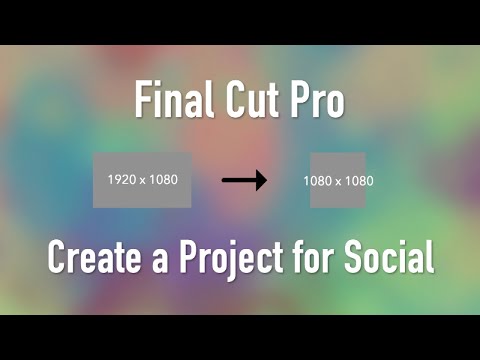
Final Cut Pro X Tutorial: How to Create a Custom Project for Social Media (Vertical, Square, Etc.)
In this Final Cut Pro X tutorial, we will guide you through the process of creating a custom project for social media. With the increasing popularity of…
-

Final Cut Pro X | Sharing to Instagram
Remember, Instagram is compressing the video after you upload it to them. Their compression is great because it allows videos to load instantly when…
-

Create Your Ideal Editing Space: Final Cut Pro X Custom Workspace Tutorial
When it comes to video editing, having a workspace that is tailored to your needs can greatly improve your workflow and make the process more efficient…
-

Final Cut Pro X: How to Batch Rename Clips Using the Apply Custom Name Feature
Are you tired of manually renaming your clips one by one? In this tutorial, you'll learn how to use the Apply Custom Name feature in Final Cut Pro X to…
-

Final Cut Pro X: Embed Captions in a Movie for Playback with VLC Media Player
• Export Video from Final Cut Pro X • Import Video into DaVinci Resolve 15 • Add Video to DaVinci Resolve Project Timeline • Export Captions from Final…
-

Final Cut Pro X Roles: Understanding and Using Roles in FCPX
Roles in Final Cut Pro X can help you to organize your clips and tracks in the timeline, and also enable you to export specific parts of your project. In…
-

Final Cut Pro X Tutorial: How to Create Custom Metadata Fields
In this tutorial, we'll show you how to create custom metadata fields in Final Cut Pro X. Custom metadata fields can help you organize your footage and…